What Happened
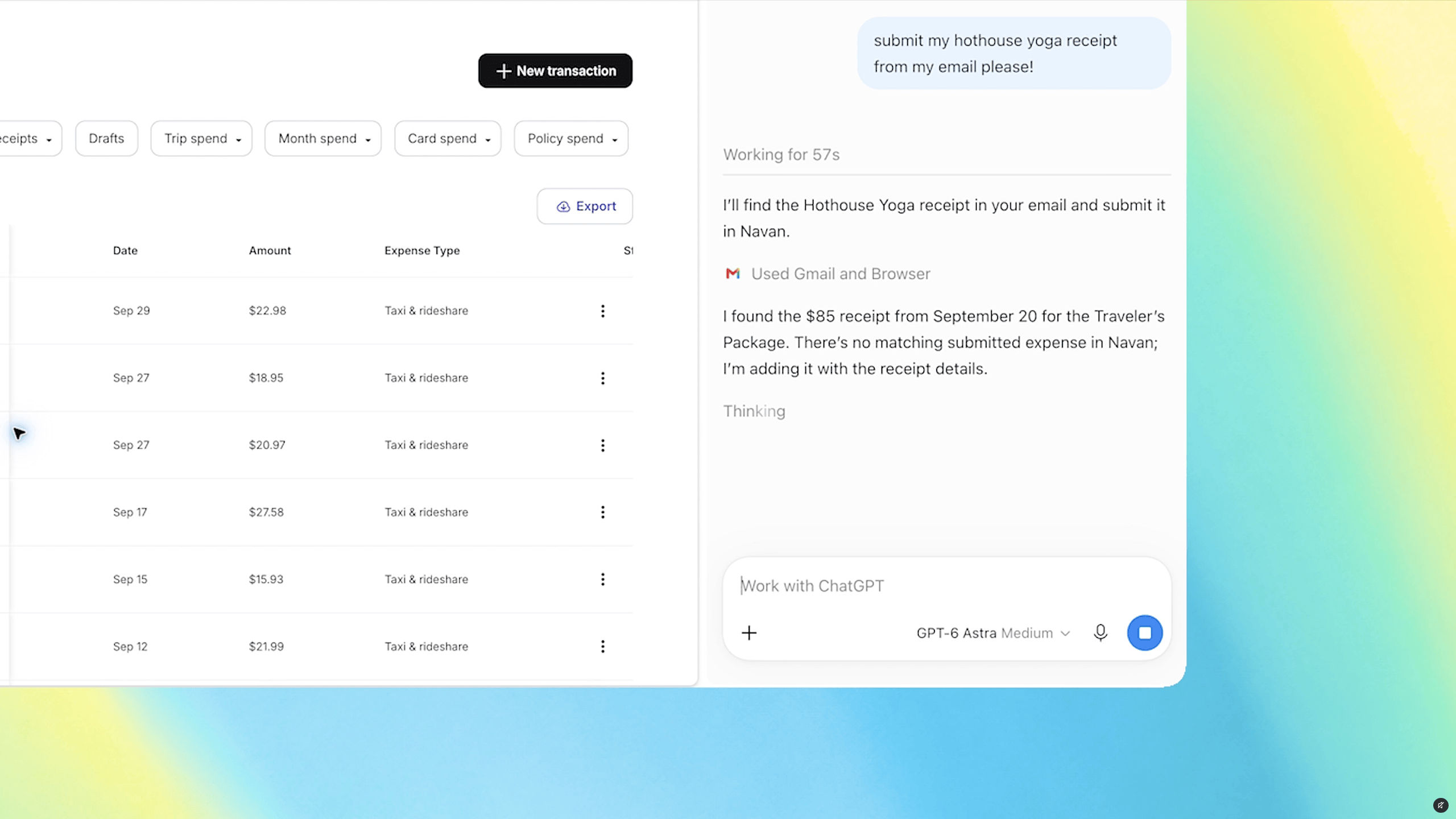
OpenAI has released an update to its ChatGPT extension for Google Chrome that lets the AI see and interact with the tabs you already have open. After installing the extension, users can tag “Chrome” inside the ChatGPT web or desktop app, and ChatGPT will be able to read the content of those tabs. The update also adds a new sidebar that embeds the full ChatGPT experience, including conversation history, without leaving the current page.
The Key Details
- Tab access: When the extension is installed and the user mentions Chrome in a prompt, ChatGPT can view the open tabs.
- Sample use cases provided by OpenAI include:
- Using details from an event brief to fill out a registration form and stopping before submitting. - Moving vendor information from multiple tabs into a comparison sheet with pricing, features, and source links. - Comparing contractor services across tabs and drafting an email to the most suitable one. - Filling out a form ahead of a dentist appointment and adding the appointment to both work and personal calendars.
- Sidebar update: The new sidebar offers “the full power of ChatGPT” and the user’s entire conversation history in Chat or Work mode, all while staying on the current webpage.
- Work mode: ChatGPT Work can now “control” Chrome tabs to perform actions such as sending messages, filling out forms, downloading files, and organizing or grouping open tabs. This capability is described as similar to Google’s Gemini‑powered “auto browse” feature.
The announcement follows the discontinuation of the standalone ChatGPT Atlas browser, shifting the focus to integrating ChatGPT directly into the existing Chrome ecosystem.
Why It Matters
By allowing ChatGPT to read and manipulate open tabs, OpenAI is turning the extension into a more active browsing assistant. Instead of copying and pasting information, users can ask the AI to synthesize content from multiple pages, automate repetitive tasks, and keep track of conversations without switching contexts. For users who regularly juggle multiple tabs for research, shopping, or planning, this could reduce the friction of using AI as part of daily workflows.
The move also intensifies the competition between AI‑powered browser assistants. Google’s Gemini already offers an “auto browse” capability, and OpenAI’s new features aim to match that level of integration while leveraging ChatGPT’s broader conversational abilities.
From a privacy standpoint, the update raises questions about how tab data is handled. OpenAI has not detailed in the provided material whether the tab contents are processed locally or sent to its servers, nor how long any data is retained.
What It Means for Readers
- Everyday users can use ChatGPT to fill forms, compare products, and manage appointments without leaving their browser.
- Researchers and students may find it easier to gather information from multiple sources and ask the AI to summarize or organize it.
- Business professionals could streamline tasks such as vendor comparisons, email drafting, and calendar management.
- Privacy‑concerned users should consider the implications of granting the extension access to all open tabs and review the extension’s permissions.
VANTIX Takeaway
The upgraded ChatGPT Chrome extension turns the AI into a tab‑aware assistant that can read, compare, and act on the content you already have open, making it easier to automate everyday tasks. However, the convenience comes with privacy considerations that users should weigh before enabling full tab access.